W&B Weave exporter
Koog emits agent traces using OpenTelemetry, an open standard for observability data. To send those traces to W&B Weave, Koog includes a built-in OpenTelemetry exporter — no manual instrumentation required.
Once connected, Weave’s OpenTelemetry support lets you visualize, analyze, and debug how your agents interact with LLMs, tools, and external APIs.
Setup instructions
- Create a W&B account at https://wandb.ai.
- Get your API key from https://wandb.ai/authorize.
- Find your entity name at the W&B Dashboard — it matches your username for personal accounts, or the team/organization name for shared workspaces.
- Choose a project name. If the project doesn't exist yet, it will be created automatically when the first trace is sent.
- Provide the entity, project name, and API key — either as parameters to
addWeaveExporter(), or via environment variables:
export WEAVE_API_KEY="<your-api-key>"
export WEAVE_ENTITY="<your-entity>"
export WEAVE_PROJECT_NAME="koog-tracing"
Configuration
Install the OpenTelemetry feature and call addWeaveExporter() to enable Weave export.
Basic example
fun main() = runBlocking {
    val entity = System.getenv()["WEAVE_ENTITY"]
        ?: throw IllegalArgumentException("WEAVE_ENTITY is not set")

    val projectName = System.getenv()["WEAVE_PROJECT_NAME"]
        ?: "koog-tracing"

    val agent = AIAgent(
        promptExecutor = promptExecutor,
        llmModel = OpenAIModels.Chat.GPT4oMini,
        systemPrompt = "You are a code assistant. Provide concise code examples."
    ) {
        install(OpenTelemetry) {
            addWeaveExporter()
        }
    }

    println("Running agent with Weave tracing")

    val result = agent.run("Tell me a joke about programming")
    println("Result: $result\nSee traces on https://wandb.ai/$entity/$projectName/weave/traces")
}
public static void main(String[] args) {
    var entity = Optional.ofNullable(System.getenv("WEAVE_ENTITY"))
        .filter(env -> !env.isBlank())
        .orElseThrow(() -> new IllegalArgumentException("WEAVE_ENTITY is not set"));

    var projectName = Optional.ofNullable(System.getenv("WEAVE_PROJECT_NAME"))
        .filter(env -> !env.isBlank())
        .orElse("koog-tracing");

    var agent = AIAgent.builder()
        .promptExecutor(promptExecutor)
        .llmModel(OpenAIModels.Chat.GPT4oMini)
        .systemPrompt("You are a helpful assistant.")
        .install(OpenTelemetry.Feature, config ->
            WeaveKt.addWeaveExporter(
                config,
                null,        // weaveOtelBaseUrl: falls back to WEAVE_URL, defaults to https://trace.wandb.ai
                entity,
                projectName  // remaining params (apiKey, timeout) use defaults
            )
        )
        .build();

    System.out.println("Running agent with Weave tracing");

    var result = agent.run("Tell me a joke about programming");
    System.out.println("Result: " + result + "\nSee traces on https://wandb.ai/" + entity + "/" + projectName + "/weave/traces");
}
What gets traced
The Weave exporter captures the same activity as Koog’s general OpenTelemetry integration. For the full list of captured spans and how to include LLM prompt and response content, see What gets traced.
When visualized in W&B Weave, the trace appears as follows:
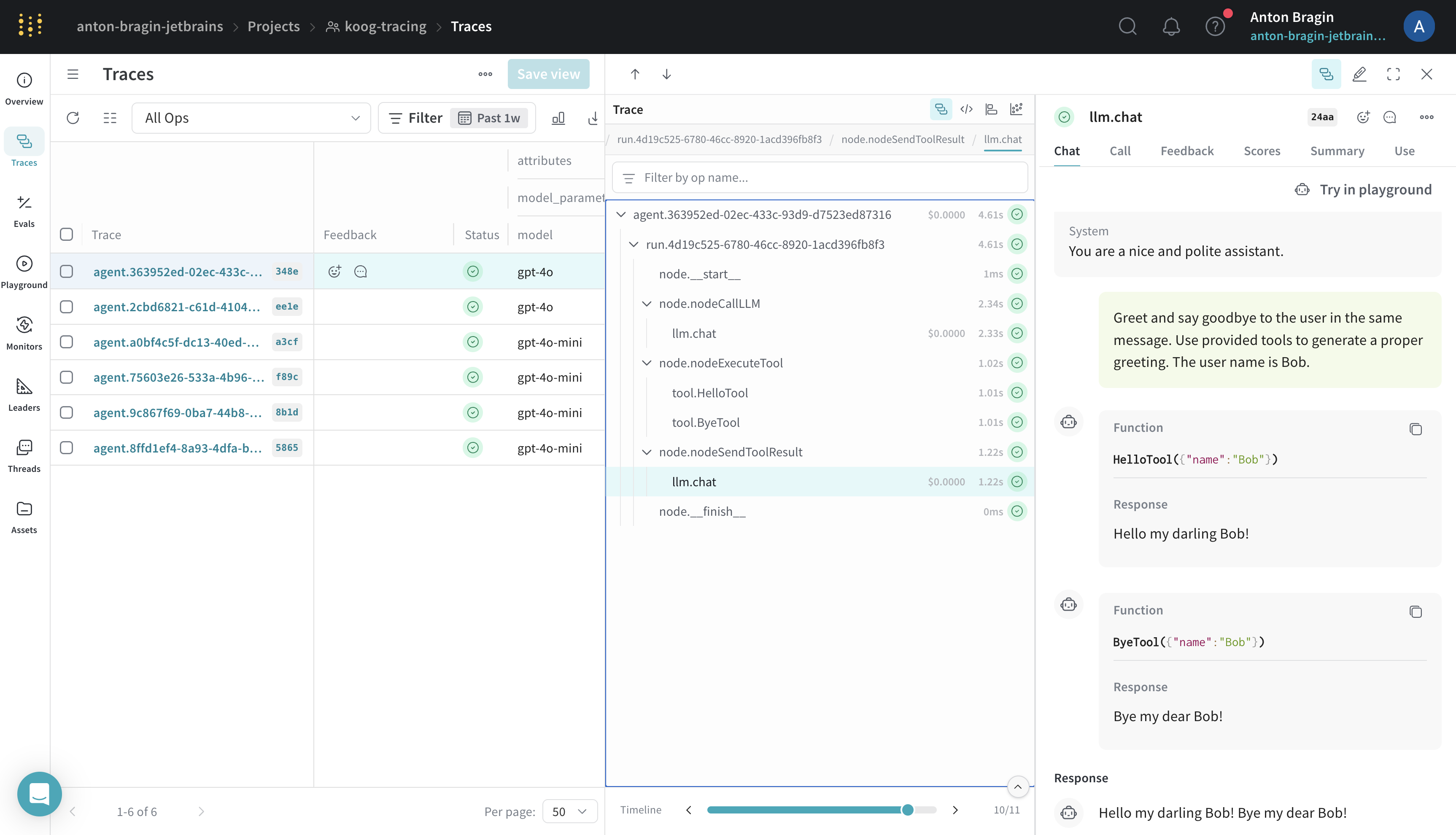
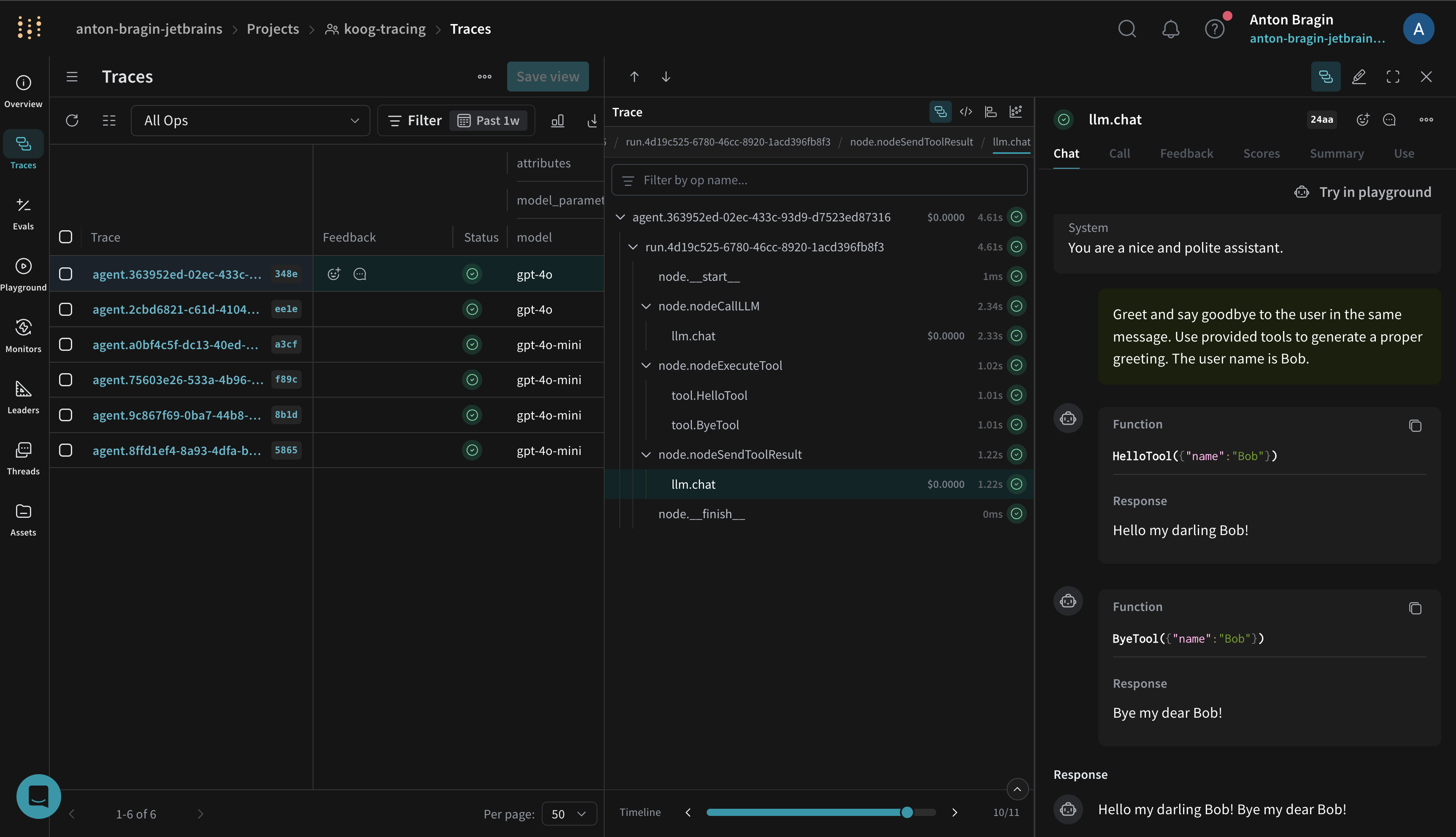
For more details, see the official Weave OpenTelemetry Docs.
Troubleshooting
- No traces: confirm
WEAVE_API_KEY,WEAVE_ENTITY, andWEAVE_PROJECT_NAMEare set, and that your W&B account has access to the specified entity and project. - Authentication errors: verify
WEAVE_API_KEYis valid and has write permission for the selected entity. - Connection issues: confirm your environment can reach W&B’s OpenTelemetry ingestion endpoints.
For general troubleshooting, see Troubleshooting.